
Miscellaneous Plans - Create New Record
Use this procedure to create a Miscellaneous Plans (0377) infotype.
Direct maintenance of this infotype should only be performed when an employee has contacted a third-party plan administrator, the requested updates have not yet been transmitted to HRMS, and an emergent Day 3 entry is required within HRMS to ensure timely processing.
Available Miscellaneous Plans Liberty Mutual Auto/Home Insurance (LIBM), Life Insurance (LIFE), and LTD (LTD).
Employees should be directed to contact the third-party plan administrators to request a new Liberty Mutual Auto/Home Insur (LIBM), Life Insurance (LIFE), or LTD (LTD) enrollment because these records are maintained within HRMS through GAP files from the plan administrators.
-
Step 1
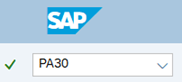
Enter transaction code PA30 in the command field and click the Enter button.
-
Step 2
Complete the following field:
- Personnel no.

-
Step 3
Click Enter to populate the employee information.
-
Step 4
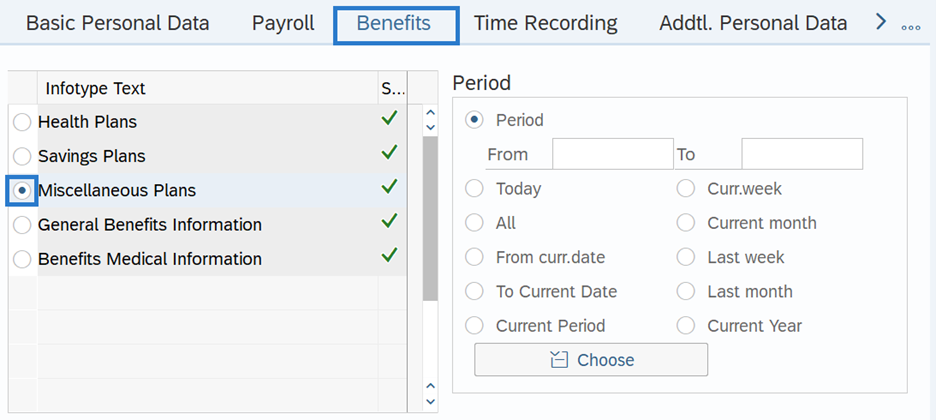
On the Benefits tab, select the Miscellaneous Plans radio button.
-
Step 5
In the Time period section, select the Period radio button and enter the effective dates of the Miscellaneous Plans record.
 TIPS:
TIPS:The From date should reflect the 1st date of the pay period the employee elects to begin deductions.
If the deduction is ongoing, the To date should reflect the end date of 12/31/9999. If the deduction is to end, use the last day of the pay period in which the deduction is to process.
Creating a retroactive record will cause HRMS to retro within payroll, however it will not retro-collect deductions. It is recommended to enter the first day of the current pay period.
-
Step 6
Click the Create button.
-
Step 7
Double click the LIBM Liberty Mutual Auto/Home Insur to select.

-
Step 8
On the Plan Data tab, complete the following fields:
The following fields are mandatory:
- Option miscel. plan

-
Step 9
Select the Regular contr. tab.

-
Step 10
Complete the following fields:
The following field is mandatory:
- (Post-tax contribution) Amount
 TIPS:
TIPS:Liberty Mutual deductions are post-tax.
-
Step 11
Click the Enter button to Validate the information.
-
Step 12
Click the Save button.