
Miscellaneous Plans - Copy and Update Record
Use this procedure to copy an existing Miscellaneous Plans (0377) infotype record and apply the required updates. The Copy action preserves the historical record of the previous entry for audit and tracking purposes.
Direct maintenance of this infotype should only be performed when an employee has contacted a third-party plan administrator, the requested updates have not yet been transmitted to HRMS, and an emergent Day 3 override is required within HRMS to ensure timely processing.
-
Step 1
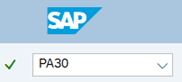
Enter transaction code PA30 in the command field and click the Enter button.
-
Step 2
Complete the following field:
- Personnel no.

-
Step 3
Click Enter to populate the employee information.
-
Step 4
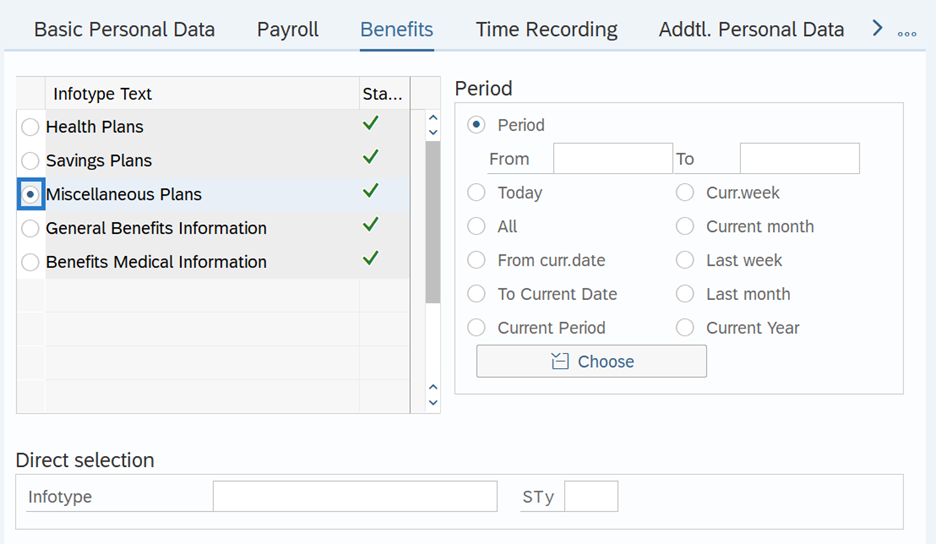
On the Benefits tab, select the Miscellaneous Plans radio button.
-
Step 5
In the Time period section, select All.

-
Step 6
Click the Overview button.
-
Step 7
Select the radio button to the left of the record you wish to copy.

-
Step 8
Click the Copy button.
-
Step 9
Enter the necessary changes to the record.
 TIPS:
TIPS:An active record should have an end date of 12/31/9999. If creating a record for a pre-determined timeframe, Miscellaneous Plans records should end on the last day of the pay period (the 15th or the last day of the month).
For changes to the (Post-tax) Contribution amount, select the Regular Contr. Tab.
Making a retroactive change will cause HRMS to retro within payroll, however it will not retro-collect deductions. If updating the Start date, it is recommended to use the first day of the current or a future pay period.
DreamAhead contributions are post-tax. The minimum contribution for DreamAhead is $5.
-
Step 10
Click the Enter button to validate the information.
-
Step 11
Click the Save button.