
Additional Personal Data - Create New Record
Use this procedure to create an employee’s race/ethnicity, military, veteran, disability, LGBTQ+, military spouse status, or Public Service Loan Forgiveness (PSLF) certification date on the Additional Personal Data (0077) infotype. Creating a new record is necessary when a record was not created during the New Hire action.
-
Step 1
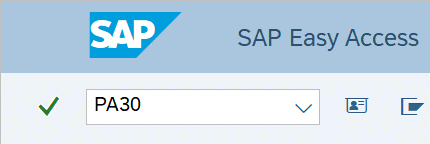
Enter transaction code PA30 in the command field and click the Enter button.
-
Step 2
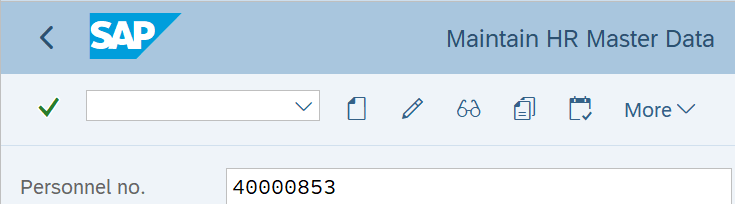
Complete the following field:
- Personnel no.
-
Step 3
Click Enter to populate the employee information.
-
Step 4
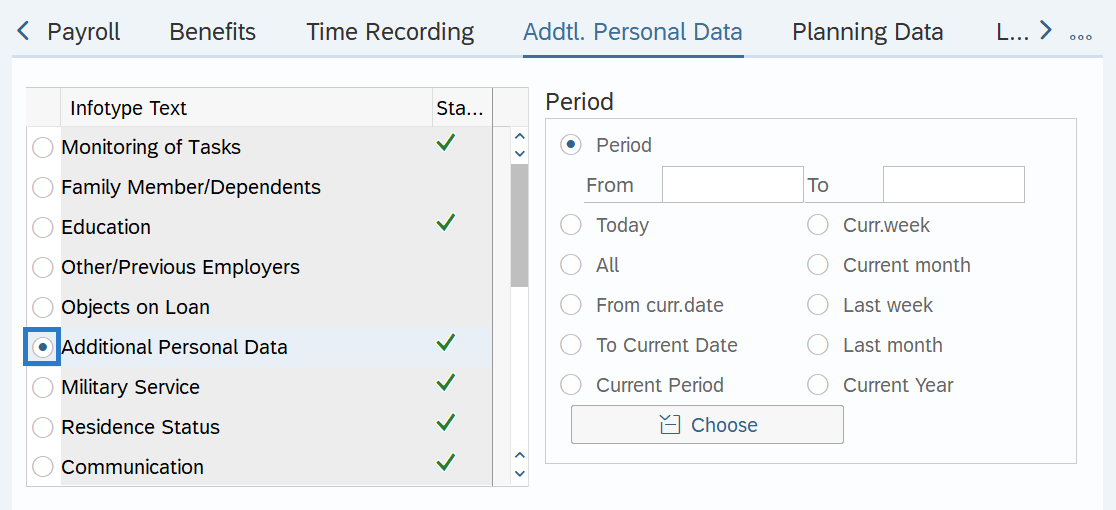
On the Addtl. Personal Data tab, select the Additional Personal Data radio button.
-
Step 5
Click the Create button.
-
Step 6
Complete the following fields:
The following fields are mandatory:
- Start
- To
The following selection will default and should not be changed:
- SPD 15 2024 Standards
The following fields are optional:
- Race/Ethnicity Category
- Military Status
- Veteran Status
- Disability
- Exempt from EEO
- LGBTQ+
- Military Spouse
- PSLF Cert. Date
 TIPS:
TIPS:The To date must be set to 12/31/9999. Entering anything except 12/31/9999 in the To date will result in an error.
New Additional Personal Data (0077) records effective August 26, 2026 forward need to have the SPD 15 2024 Standards radio button selected. The SPD 15 2024 Standards view includes the current standards for collecting and storing race/ethnicity data.
In the Race/Ethnicity Category section, click the checkboxes to the left of the appropriate race and/or ethnicity categories to select.
Race/Ethnicity Category is the primary source of data for “people of color” headcount in enterprise reports and federal EEO-4 reports.
In the Race/Ethnicity Category checkboxes, Prefers Not to Answer cannot be combined with any other race or ethnicity selection. If combined, then Prefers Not to Answer will be unselected upon saving.
To enable the Protected Veterans selection boxes, select the Protected Veterans radio button and click enter.
The option (X) Has a Disability (or previously had one) should only be used for employees with a current disability. Do not use this option for employees who previously had a disability since they no longer meet the definition; use (N) Does not Have a Disability.
Disability Date is not used by the state of Washington; however, HRMS requires an entry if the Disability Status is set to Has a disability (or previously had one) (X). If you know the employee's disability date, you can enter that date; otherwise, enter the date you learned of the disability (same date as the Date Learned field).
Military Spouse includes registered domestic partners.
LGBTQ+ and Military Spouse fields will default to Unspecified. Enter the appropriate selection for the employee.
The PSLF Cert. Date should reflect the date an employee’s employment was last certified for the PSLF program.
For additional coding information on the Additional Personal Data (0077) infotype, refer to the Affirmative Action and Demographic Data Guide.
-
Step 7
Click the Enter button to validate the information.
-
Step 8
Click the Save button.
TIPS:If you selected a Military Status other than Non/Unspec Vet’s Status on the Additional Personal Data (0077) infotype screen, HRMS will automatically bring you to the Military Service (0081) infotype. Refer to the Military Service – Create New Record user procedure to complete this infotype.